

Quick Controls
- WASD or arrow keys → Move. Your movement affects the pace of the encounter.
- Left mouse button → Pick up / shoot. Check whether you are holding a weapon.
- Right mouse button or R → Throw your weapon. R does not reload it.
High Score Tips
- Find an available weapon and check the route before walking toward it.
- Look for an attack already approaching you before choosing a target.
- After changing position, check which enemies now have a clear shot.
Clear a room of enemies by controlling your movement, reading incoming fire, and using the weapons you find.
- Developer
- GoGoMan
- Classification
- Slow Motion
- Gameplay tag
- Bullet Time
About Time Shooter 2
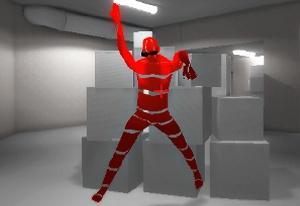
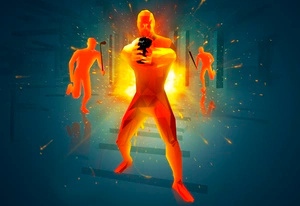
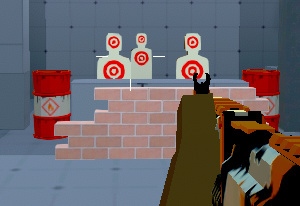
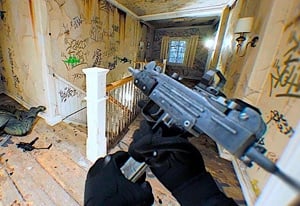
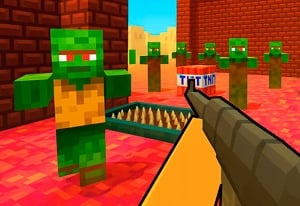
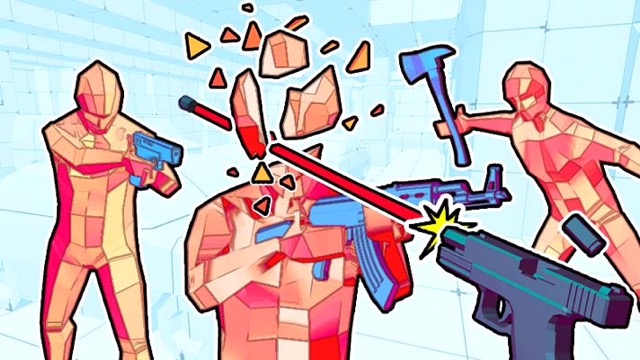
Time Shooter 2 is a first-person shooting game in which movement changes the pace of combat. Staying still gives you a chance to examine the room and the bullets around you; moving advances the encounter. You collect weapons from the scene and work through the enemies blocking your progress.
For a first attempt, focus on three things: the weapon you can reach, the attack closest to becoming dangerous, and where your next step will leave you. Those questions help turn a crowded room into a manageable sequence. A clear shot at one opponent may still expose you to another, so choosing where to stand matters alongside choosing where to aim.
How to Play Time Shooter 2
Your objective is to eliminate the enemies while avoiding their attacks. Use this sequence to organize an unfamiliar room:
- Inspect the opening. Locate an available weapon, nearby enemies, and any visible incoming fire before committing to a route.
- Get equipped. Approach a reachable weapon and use left-click to pick it up. Check what you are holding before trying to fire.
- Choose a position and target together. Decide where you need to stand for the shot, including which other enemies could attack that position.
- Reassess as the fight changes. Fire with left-click, check the remaining threats, and plan another move or weapon change until the room is clear.
Controls & Timing
A step changes more than your position
Movement also advances the surrounding fight. Before crossing an opening, look at both the destination and the attacks along the way. Once you reach a useful position, take another look instead of continuing the same movement automatically.
Picking up and firing share a button
Left-click serves two actions. If a click equips a weapon, check that change before assuming you have already fired at an opponent. This is especially useful when an enemy and a collectible weapon are close together in your view.
Throwing creates a follow-up decision
Right-click and R discard the held weapon. Before using either, identify what you intend to pick up next and how you will reach it. An accidental press of R can interrupt an otherwise workable attack plan.
Controls
These controls are for a keyboard and mouse.
| Input | Action | When to use |
|---|---|---|
| WASD or arrow keys | Move | Reach a weapon or change your angle on an enemy. |
| Left mouse button | Pick up / shoot | Collect a weapon, then fire when equipped. |
| Right mouse button or R | Throw the held weapon | Discard it deliberately when changing your plan. |
High Score Tips
- Choose a first route you can explain. Ask which weapon you are moving toward and where you will stop. A route with a purpose gives you fewer decisions to improvise while attacks are advancing.
- Compare immediate danger with distant fire. A gun carrier across the room deserves attention, but an attack already near you may need the first response. Target order should change with the situation; distance alone is not enough to decide it.
- Check the angle after a successful shot. Eliminating one enemy can make it tempting to rush onward. Look for the next attack before following through, particularly if your last move exposed a different side of the room.
- Review one mistake on the next attempt. Identify whether the problem was the route, the target order, or an unintended weapon throw. Change that decision first so you can judge whether it helped, rather than changing your entire approach at once.
Key Features
- First-person encounters: Judge the scene from your character's position and check threats beyond the target in front of you.
- Readable incoming fire: Visible projectiles give you information for planning a dodge.
- Weapons within the scene: Equipment location affects the route through a room.
- A compact control scheme: Movement, pickup, shooting, and throwing cover the core actions; remembering each button's role helps avoid unnecessary mistakes.
Frequently Asked Questions
Why does pressing R make me lose my gun?
R is the throw command in Time Shooter 2. If you are used to using it to reload in another shooter, pause that habit here. Look for another reachable weapon before deliberately throwing the one you hold.
Do I need to install a separate application?
The game is embedded in this browser page, so a separate application is not required. Game files still need to load over your connection. Loading time can vary, especially when opening the game for the first time.
Is there a final level to complete?
The levels continue without a set final room. A useful goal for a session is to clear the next encounter while correcting one recurring mistake, such as rushing a pickup or throwing away a weapon you meant to fire.
Is TimeShooter2.io the developer's official website?
TimeShooter2.io is an independent fan site. GoGoMan developed Time Shooter 2. You can read about this site's role on the About page, or use Contact to report a problem with a page or its instructions.