


Quick Controls
- WASD → Move; Shift → Run. Choose where the approach should stop.
- Mouse movement and left-click → Aim and fire. Settle the view on the target.
- 1–3 → Select weapon; R → Reload. Know which gun is active.
High Score Tips
- Finish a large turn before judging the final aiming correction.
- Read the next stage as a new location.
- Check the selected weapon after switching rather than assuming the last gun remains active.
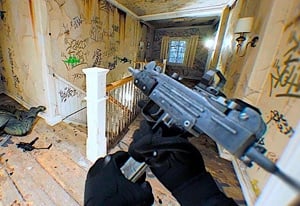
Clear staged gunfights through a body-camera-style view, keeping weapon selection and reload state recognizable.
- Classification
- FPS
About Bodycam Shooter
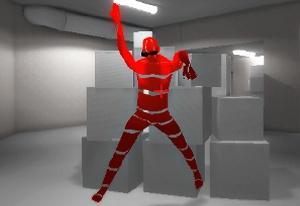
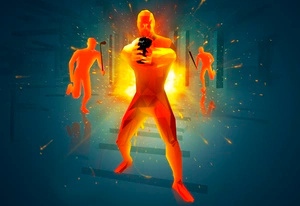
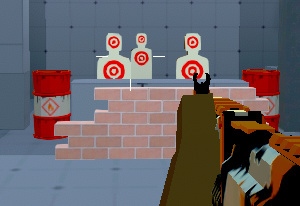
Bodycam Shooter is a browser FPS credited to BORNIS GameLab, using a body-camera-style presentation for staged fights against armed enemies. Completing a stage leads to further opponents and locations. The direct controls include weapon selection, crouching, running, and a manual reload.
The useful routine is to make the view and weapon state readable before committing to another exchange. A sharp turn can reveal a target without leaving the aim aligned, and switching 1–3 can change the equipment you are preparing with R. Use a stable view for the final shot, then inspect the next location rather than reproducing the previous stage's approach automatically.
How to Play Bodycam Shooter
Defeat the enemies in the current stage and prepare for the new location that follows.
- Inspect the opening view and recognize the selected weapon.
- Use WASD to establish a clear line toward the enemy.
- Finish the mouse alignment and left-click to fire.
- Reload with R during a workable interval, then inspect the remaining enemies or the next stage.
Controls & Timing
A turn is not a finished aim
Bringing a target into view is followed by a final alignment. Separate those motions before blaming a missed shot on the weapon.
A new stage resets the search
The next location can expose different approaches. Establish its first threat before repeating a route learned elsewhere.
Controls
| Input | Action | When to use |
|---|---|---|
| WASD / Shift | Move / run | Approach a selected firing position. |
| Mouse movement | Look and aim | Locate and align a target. |
| Left mouse button | Shoot | Fire the active gun. |
| 1–3 | Weapon selection | Choose an available slot. |
| R | Reload | Prepare the selected weapon. |
| C / Space | Crouch / jump | Adjust posture or navigate height. |
High Score Tips
- Separate a view turn from the shot. Recognize the target after turning and make the final correction deliberately. Another hurried click can repeat an incomplete alignment.
- Check the active slot before reloading. R prepares the selected weapon, so know which gun is in hand after a change.
- Use the next stage's own opening. Inspect the newly revealed location instead of expecting an enemy where the previous room placed one.
- Review the first unreadable moment. If a failed attempt became confusing after a turn or switch, repeat that transition more deliberately rather than accelerating the whole sequence.
Key Features
- Body-camera presentation: A distinct first-person visual framing.
- Stage transitions: Further locations follow cleared encounters.
- Numbered weapon slots: The current equipment can be selected directly.
- Manual readiness: Reloading is a separate preparation action.
Frequently Asked Questions
Is this the commercial game Bodycam?
This browser title is credited to BORNIS GameLab. Its camera theme does not make it the same release as the commercial multiplayer game Bodycam.
How do I choose another gun?
Use the available 1–3 slots and recognize the selected weapon before firing or reloading. The next action applies to the current equipment.
What should I inspect after a fast turn?
Confirm that the target is identified and the firing line is actually aligned. A target entering the camera view is not itself a completed shot setup.
Should I use one route in every stage?
Read each new location first. The stage transition changes what is visible, so use its own first threat and opening to plan the approach.