


Quick Controls
- WASD → Move. Navigate between the arena's equipment and threats.
- Left-click → Shoot; 1–5 → Select weapon. Check the equipped item.
- F → Pick up; M → Map. Use a pickup route you can leave.
High Score Tips
- Identify the next firing opportunity before detouring toward a weapon.
- Check the equipped slot after using F.
- Open the map to answer a route question rather than without a purpose.
Choose a stylized fighter, collect arena equipment, and use the map to connect the next pickup with the next fight.
- Classification
- Shooter
About Vortex 9
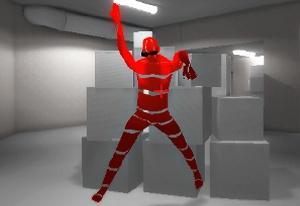
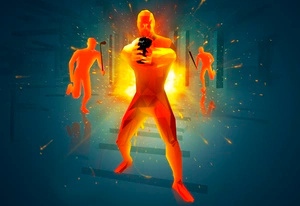
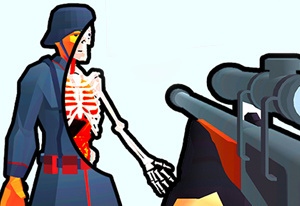
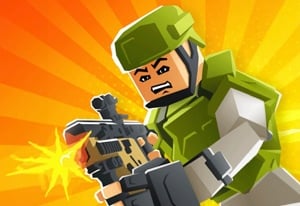
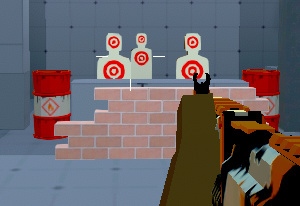
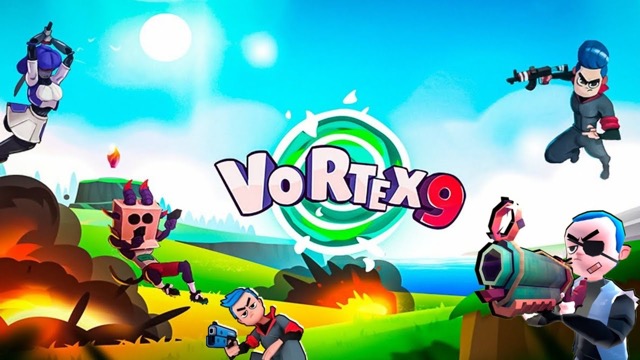
Vortex 9 is an online arena shooter with animal-like and robot characters, appearance customization, and weapons found around the maps. The character gives the encounter its visual identity, while the equipment you acquire determines the attack available for the next exchange.
The control set connects that loop directly: F collects an object, 1–5 selects a weapon slot, and M shows the map. Use those as different stages of a route. Locate an item, reach it through a manageable approach, then recognize what is now equipped before taking another fight. Customizing a character's appearance should remain separate from assuming an unconfirmed special ability or combat bonus.
How to Play Vortex 9
Engage opponents in the selected arena match while using collected equipment and map routes deliberately.
- Choose the fighter's appearance and enter the available match.
- Identify a useful equipment route and move with WASD.
- Use F for the pickup, then recognize the weapon selected from 1–5.
- Aim and fire at a manageable opponent, using M when you need to orient the next route.
Controls & Timing
Pickup is not selection
Collecting an object changes the available equipment, while numbered slots choose what you use. Check the active item after acquisition.
The map should inform a destination
M is useful when it resolves where the next route goes. Find a manageable moment to inspect it instead of losing the nearby fight's context.
Controls
| Input | Action | When to use |
|---|---|---|
| WASD | Move | Reach equipment and useful arena positions. |
| Mouse movement | Aim | Track the next opponent. |
| Left mouse button | Shoot | Fire the selected weapon. |
| 1–5 | Weapon slots | Choose available equipment. |
| F | Pick up object | Collect the item in reach. |
| G | Throw grenade | Use an available explosive. |
| M | Map | Orient the next route. |
| C / Space | Crouch / jump | Change posture or height. |
High Score Tips
- Connect the pickup to an exchange. Decide what the item enables before entering a contested area for it. Acquisition is more useful when the following fight is understood.
- Recognize the active weapon after collection. Do not aim from memory of the previous item if the equipment state changed along the route.
- Use the map for one decision. Identify the destination or return path, then return to the immediate scene with a clear next movement.
- Diagnose equipment separately from appearance. If the encounter was difficult, compare the weapon and route before attributing the result to an unverified character power.
Key Features
- Stylized roster: Animal-like fighters and robots frame the arena.
- Appearance customization: Character presentation can be adjusted.
- Equipment pickups: Map exploration changes available weapons.
- Dedicated map input: Route orientation has its own control.
Frequently Asked Questions
What does F do?
It is the listed pickup action. Use it for an available object, then check the active equipment before continuing into another exchange.
How do I choose among collected weapons?
Use the available 1–5 slots and recognize the weapon shown. Picking up an item and selecting a slot are separate actions.
Does every character have a unique power?
No such roster rule is established here. Evaluate the actual equipment and position instead of assuming a visual design guarantees a different combat ability.
When is M useful?
Open the map when you need a destination or return route. Use it to answer that question, then return attention to the nearby approaches.