
Quick Controls
- WASD → Move; Shift → Run. Approach the selected task.
- Left-click → Shoot; right-click or V → Aim. Use the current weapon.
- 1–3 → Equipped slots. Unlocking a new main gun is a separate progression step.
High Score Tips
- Read whether the match is Gun Race, a flag task, or another objective before planning.
- Check daily and weekly mission progress when saving for gear.
- Inspect whether an equipment option changes stats or appearance.
Develop a weapon setup through missions and levels, then use it in an objective mode or a custom online match.
- Classification
- FPS
About Hazmob FPS
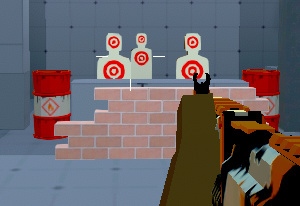
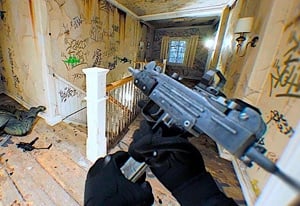
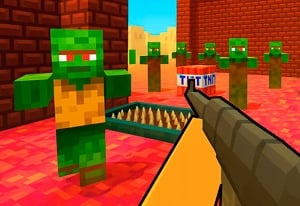
Hazmob FPS connects online combat to equipment progression. Weapon categories include SMGs, assault rifles, shotguns, sniper rifles, and LMGs, with further guns and attachments becoming available through progress. Missions contribute currency for gear, while some clothing options also affect base statistics.
The mode decides how that setup is used. Team Deathmatch, Search and Destroy, Capture the Flag, Domination, Elimination, and Gun Race are among the listed choices, alongside custom matches. A weapon-slot key does not instantly unlock another main gun, so preparation requires reading what is actually available. Choose a task, understand the equipment's effect, and test the setup against that objective instead of changing every item after one defeat.
How to Play Hazmob FPS
Play toward the active mode objective while developing equipment through the progression options available to the account.
- Choose Quick Battle, a specified mode, or a custom match and read the task.
- Inspect the equipped main weapon and other available slots.
- Fight with the selected setup, keeping the mode objective in the route decision.
- Review daily/weekly missions and gear options before choosing the next unlock or improvement.
Controls & Timing
A slot is not an unlock
Numbered keys select equipped options. New main weapons depend on progression and currency, so pressing another slot does not grant equipment not yet available.
Gear effects need to be read
Attachments, skins, and clothing are not one interchangeable upgrade. Check whether the option affects handling, a base statistic, or appearance before buying.
Controls
| Input | Action | When to use |
|---|---|---|
| WASD / Shift | Move / run | Reach a mode-relevant position. |
| Left mouse button | Shoot | Fire the selected weapon. |
| Right mouse button or V | Aim | Use the aimed view. |
| 1–3 | Weapon slots | Select equipped options. |
| G | Pick up gun | Collect an available weapon. |
| C / Space | Crouch / jump | Change posture or height. |
| P | Leaderboard / settings menu | Inspect match information or setup. |
High Score Tips
- Choose a mode before evaluating a build. Objective requirements can change which engagement matters. Keep the task consistent while comparing equipment.
- Use mission rewards deliberately. Check the daily and weekly goals when funding a purchase so completed progress does not remain separate from the gear decision.
- Read clothing effects individually. Some options affect base stats. Do not assume every visual item is cosmetic, or that every expensive item improves the same statistic.
- Distinguish missing access from a control problem. If another main weapon is locked, repeatedly switching slots cannot replace the progression step needed to obtain it.
Key Features
- Equipment progression: Levels and currency unlock further options.
- Multiple weapon categories: Loadout roles span close and longer engagements.
- Mission-funded gear: Daily and weekly tasks contribute preparation resources.
- Objective and custom play: Match selection changes the purpose of combat.
Frequently Asked Questions
Why can I not select another main gun yet?
Main-weapon access depends on progression and currency. The numbered slots select what is currently equipped; they do not bypass the unlock or purchase step.
Is every clothing item purely cosmetic?
Some clothing affects base character statistics. Read the option's stated effect instead of assuming all appearance-related items work the same way.
Are all opponents necessarily human?
Some matches include bots. An online lobby does not guarantee that every opponent is another person.
Where can extra gear currency come from?
Check the daily and weekly missions alongside ordinary battle earnings. Choose the available task and read its reward before planning the next purchase.