




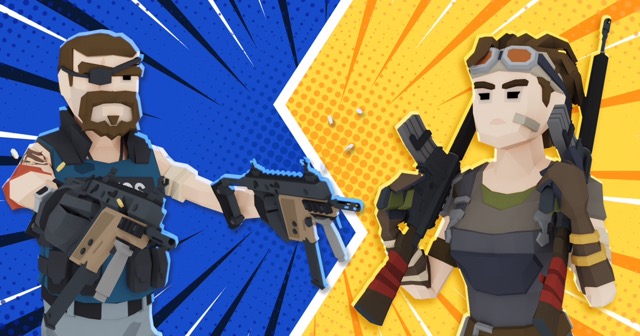
BuildNow GG
1. Game Overview
BuildNow GG is an online build-and-shoot game that masterfully blends third-person shooter combat with rapid construction mechanics across a variety of competitive game modes. Developed by Battlelab and launched in August 2021, it has grown into one of the most respected browser-based skill shooters available, offering a deep, rewarding experience for players willing to put in the practice.
At its core, BuildNow GG is a game of two intertwined disciplines: aiming and building. The weapon loadout — pistol, machine gun, sniper rifle, shotgun, and pickaxe — covers the full range of combat distances, while the building system lets you instantly snap walls, ramps, roofs, and floors into place to control space and deny enemy fire. Mastering both simultaneously is the path to becoming a dominant player.
What separates BuildNow GG from similar titles is the quality of its practice infrastructure. Dedicated offline Aim Training mode, a sandbox Freebuild space, and full keybind customization mean you're never forced into live matches before you're ready. You can drill specific skills in isolation and carry those improvements directly into competitive play.
With five distinct game modes, support for private parties of up to six players, cross-platform availability on web, Android, and iOS, and deep graphics and control customization, BuildNow GG is equally at home as a casual afternoon shooter or a serious competitive training ground. Whether you're climbing leaderboards in Zone Wars or warming up in Aim Training before a session, the game consistently delivers.
Key Details:
| Genre: | Build-and-Shoot / Third-Person Shooter |
| Difficulty Level: | Variable (beginner-friendly with high skill ceiling) |
| Average Play Time: | 10–30 minutes per session |
| Best For: | Competitive gamers, building-shooter fans, players wanting structured skill improvement |
2. How to Play
Getting Started:
- Open BuildNow GG in your browser or download the app on Android or iOS — no account required to start.
- Begin in Aim Training mode to get comfortable with mouse sensitivity and weapon feel before facing other players.
- Move to Freebuild to practice placing walls, ramps, and roofs quickly without combat pressure.
- Try a BoxFight or V-Arena match once your basics feel solid — these modes have shorter, more focused engagements than Zone Wars.
- Create an account to save your keybind profile, graphics settings, and match history across sessions.
Basic Controls:
| Action | Key |
|---|---|
| Move | WASD or Arrow Keys |
| Jump | Space |
| Build Wall | Q |
| Build Floor | C |
| Build Ramp | V |
| Build Roof | Left Shift |
| Edit Structure | F |
| Apply Edit | F |
| Reset Edit | Right-Click |
| Fast Edit Reset | Scroll Wheel Down |
| Fire | Left-Click |
| Aim Down Sights | Right-Click |
| Pickaxe | Z |
| Weapon Slots | 1–5 |
| Emotes | B |
| Chat | P |
| Scoreboard | M |
Objective: The goal varies by mode, but the core challenge is always the same — eliminate opponents using a combination of precise shooting and tactical building. In V-Arena and BoxFight, be the last player standing. In Zone Wars, outlast all opponents in a shrinking zone. In Freebuild, explore and practice freely with no pressure.
3. Game Features & Highlights
✓ Five Distinct Game Modes — From sandbox Freebuild to ranked Zone Wars, each mode trains and tests a different skill set, keeping gameplay fresh regardless of how long you've been playing.
✓ Offline Aim Training — Practice your shooting on static and moving targets without the pressure of a live match, the most direct path to consistent accuracy improvement.
✓ Full Keybind & Performance Customization — Every key can be remapped and graphics settings (quality, FPS limit, HDR) can be tuned to match your hardware and personal playstyle.
✓ Private Party Mode — Host matches with up to six friends in a private game, perfect for team practice sessions or casual play with your crew.
✓ Cross-Platform Support — Play on web browser, Android, or iOS, with your settings and profile accessible wherever you log in.
4. Tips & Strategies
Beginner Tips:
- Start with Aim Training. Before anything else, spend 10–15 minutes in Aim Training to calibrate your sensitivity and develop a feel for the weapons. This single habit accelerates improvement faster than jumping straight into matches.
- Build one structure at a time. New players often try to build complex structures before they've built the muscle memory for even a single wall. Start simple: in any fight, your first instinct should be to place one wall between you and the enemy.
- Use the pickaxe to gather materials. In modes where materials are required, swinging your pickaxe at objects in the environment collects the wood, stone, and metal you need for building. Don't neglect this during the early stages of a match.
Advanced Strategies:
- Edit for unexpected angles. Instead of peeking around a wall and telegraphing your position, use F to edit a window into it. Shoot through the gap, then immediately reset the edit to close it and block return fire.
- Combine ramp and wall placements. A ramp alone provides elevation but no side cover. Always pair a ramp with a wall to protect your flank while climbing — this is a fundamental building combination used at every level of play.
- Use fast edit reset (scroll wheel down). In BoxFight situations, rapid edit-and-reset allows you to peek quickly and retreat behind cover without leaving a permanent opening in your structure. This technique is one of the highest-leverage skills to develop.
What to Watch Out For:
- Ignoring keybind customization. The default controls may not suit your hand position or playstyle. Spend time in the settings menu to find a keybind layout that lets you switch between building and shooting without awkward finger stretching.
- Skipping Freebuild practice. Live matches are a poor environment for learning building fundamentals because the stakes punish mistakes. Use Freebuild consistently as a warm-up before competitive sessions.
5. Game Elements Explained
Building System
BuildNow GG's building system is a real-time construction engine that lets you place walls, floors, ramps, and roofs instantly during live combat. Each structure serves a distinct tactical purpose: walls block incoming fire and create immediate cover; ramps provide elevation for positional advantage and enable aggressive pushes; floors create platforms for maneuvering above the ground; roofs protect from aerial angles and complete enclosed defensive boxes.
Editing (F key) is a second layer of the building system that allows you to modify placed structures in real time — cutting windows, creating doors, or reshaping a wall into a partial barrier. Edit speed is a critical skill in high-level play: faster edits mean shorter exposure windows when you peek, and cleaner resets mean opponents can't exploit gaps in your structure.
All guns have unlimited ammo, which means the resources you need to manage carefully are building materials rather than bullets. Collecting materials throughout a match and spending them efficiently — building only what each moment requires — is a strategic discipline as important as aim.
Weapon Loadout
BuildNow GG provides five weapon types that cover every combat range and engagement style. The pistol is a reliable backup weapon with a moderate fire rate suitable for mid-range encounters. The machine gun excels at close-to-mid range with high fire rate and is ideal for aggressive pushes. The sniper rifle rewards patience and precision with high damage at long range, making it the dominant choice for open-field engagements. The shotgun delivers devastating close-range burst damage, perfect for box fights and tight-space combat. The pickaxe serves double duty as a melee weapon and a material-collection tool.
All weapons feature realistic ballistics — bullets drop and spread at range — meaning optimal engagement distance matters. Learning which weapon to switch to in each scenario, and making those switches quickly during live combat, is a hallmark of experienced play. Because you're not constrained by limited ammo, the decision to fire is purely a question of positioning and timing, never resource management.
Game Modes
BuildNow GG's five modes each isolate and develop different aspects of the build-and-shoot skill set. Freebuild is a no-stakes sandbox where you can practice building techniques, experiment with keybinds, and warm up before competitive sessions — this mode is your practice floor. V-Arena offers 1v1 or 6-player free-for-all last-man-standing matches in an open arena, testing your full combat repertoire. BoxFight places players in a confined space for close-quarters combat, specifically developing editing speed and tight building mechanics.
Aim Training is a fully offline mode that lets you work on shooting accuracy against static and moving targets at your own pace — the fastest route to measurable aim improvement. Zone Wars runs 6-player free-for-alls in a randomly generated shrinking zone, simulating the high-pressure endgame conditions found in competitive play. Rotating between modes based on your current weaknesses — spending more time in Aim Training when your shots feel inconsistent, more time in BoxFight when your editing feels slow — is the most efficient improvement strategy.
6. Frequently Asked Questions
Q: How do I edit a structure I've already built? A: Press F to enter edit mode while facing a placed structure. Your cursor will show the edit grid — click to select which parts of the structure to remove or reshape, then press F again to apply the edit. To reset without applying, right-click or scroll the mouse wheel down for a fast reset.
Q: What should I do if my aim isn't improving? A: Go to Aim Training mode and focus on one target type at a time — don't jump between static and moving targets in the same session. Identify whether you're consistently missing high, low, or to one side, then adjust your sensitivity settings accordingly. Consistent, focused drilling for 10–15 minutes before matches produces faster improvement than playing through live matches hoping aim naturally improves.
Q: Is BuildNow GG available on mobile? A: Yes. BuildNow GG has an Android version available for mobile devices, and the game is also playable in mobile browsers on iOS. Touch controls are supported across both platforms.
Q: Can I save my keybind settings and progress? A: Yes, but you need to create a free account to save settings across sessions. Without an account, your keybind layout and customization will reset when you close the browser. Registration is strongly recommended for anyone who wants a persistent custom control profile.
Q: How do I host a private game with friends? A: From the main menu, select Party Mode and create a private match. You can host up to six players in a private game. Share your lobby code with friends so they can join your session directly rather than being placed in public matchmaking.
7. Related Games You Might Enjoy
If you like BuildNow GG, you might also enjoy:
- Voxiom.io - It offers another strong fps pick with fast browser play and familiar action pacing.
- Mine Shooter 3D - It offers another strong fps pick with fast browser play and familiar action pacing.
- Pixel Warfare - It offers another strong fps pick with fast browser play and familiar action pacing.