


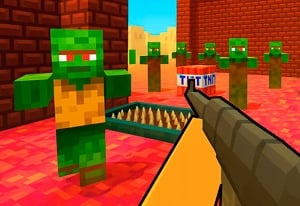

Quick Controls
- WASD → Move. Choose the next angle.
- Mouse movement and left-click → Aim and fire. Take the aligned shot.
- Space → Jump. Inspect the landing position before committing.
High Score Tips
- Use a slowed moment to identify the next attacker.
- Check whether a jump exposes a different side of the room.
- Avoid assuming every Time Shooter-named game shares identical time controls.
Combine first-person shooting with slow-motion encounter pacing and a jump route through the 3D fight.
- Classification
- Slow Motion
About Time Shooter Hot: Slowdown Confrontation
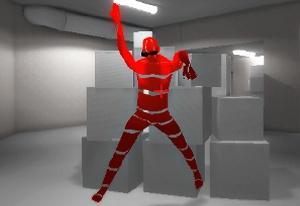
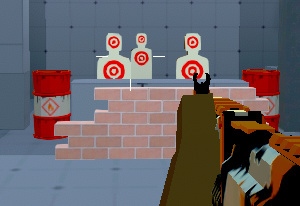
Time Shooter Hot: Slowdown Confrontation is a first-person survival shooter credited to AppLinkor. It uses changes in combat speed to frame encounters across a 3D environment. Movement, mouse aiming, and a jump input give you ways to change the position from which the next enemy is engaged.
The useful role of slow motion is observation: read the attackers and choose what the next position should accomplish. A jump adds a separate landing decision, because gaining height can reveal another threat as well as the target you intended to shoot. Do not assume that standing still guarantees safety. Watch the enemies and projectiles to judge how the current encounter is progressing.
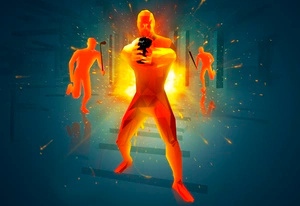
How to Play Time Shooter Hot: Slowdown Confrontation
Clear the enemy encounter while using the changing pace and available movement to keep a readable firing position.
- Inspect visible attackers and locate an angle that serves the next shot.
- Move with WASD toward that point, checking any landing before using Space.
- Aim with the mouse and left-click once the target is clear.
- Reinspect the changed view before extending the approach to another enemy.
Controls & Timing
Slow motion supports inspection
Use the changed pace to read the encounter. Check enemy and projectile motion after releasing movement before relying on a pause to keep you safe.
A jump ends somewhere
The destination may reveal another part of the room. Consider that new view before using height simply because the input is available.
Controls
| Input | Action | When to use |
|---|---|---|
| WASD | Move | Establish the next firing position. |
| Mouse movement | Aim | Inspect the selected attacker. |
| Left mouse button | Shoot | Take an aligned shot. |
| Space | Jump | Navigate a useful change in height. |
High Score Tips
- Read the full landing view. A jump that improves one shot can expose another attacker. Plan the position after contact with the ground, not only the arc upward.
- Use a small angle change when enough. If a short adjustment reveals the target, inspect the shot before continuing into a larger part of the encounter.
- Treat repeated obstruction as a route problem. Another round from the same blocked line does not change the scenery. Move to expose the target before repeating it.
- Learn this game's pacing independently. Observe how the current encounter develops instead of importing an unlimited-stop assumption from another slow-motion game.
Key Features
- AppLinkor entry: A separate slow-motion shooter with its own movement and jump controls.
- 3D encounters: Position and landing affect visible attackers.
- Jump input: Height can change access to a target.
- Changing combat pace: Slower moments support observation and a planned response.
Frequently Asked Questions
Does Space activate slow time?
Space jumps. A separate time-control function on that key is not confirmed; plan its use around the next landing.
Is it automatically a Time Shooter 2 sequel?
Similar naming is insufficient to establish that relationship. This entry is credited to AppLinkor and is described through its own controls and encounter premise.
What should I inspect before jumping?
Check the landing point and the enemies it reveals. A target becoming visible does not mean the rest of that newly exposed area is safe.
Can I assume stopping makes me invulnerable?
No such rule is established. Use the slower pace to inspect attacks and plan the next position, while continuing to account for the danger still present.