



Deadshot.io
1. Game Overview
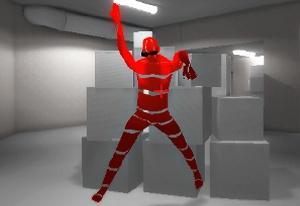
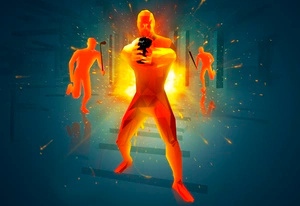
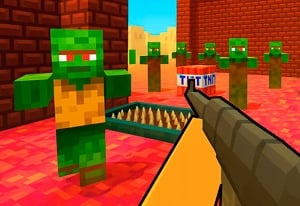
Deadshot.io is a high-speed online first-person shooter built for players who want nothing between them and the action. No lengthy tutorials, no complex progression gates — just instant matchmaking against real players worldwide from the moment you click Play. Rounds are short, sharp, and unpredictable, designed to reward quick reflexes, sharp aim, and smart positioning over every other variable.
What makes Deadshot.io compelling is how much competitive depth it packs into an accessible format. Five distinct multiplayer modes — from chaotic free-for-all battles to objective-based domination and hardpoint control — give players meaningful variety without fragmenting the experience. Each mode demands a slightly different playstyle, making the game rewarding to explore across many sessions rather than feeling repetitive after a few hours.
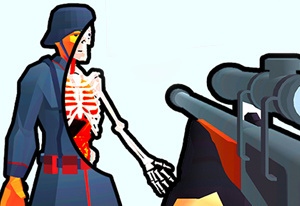
The weapon class system adds another strategic layer. Before each match, you select a class suited to your preferred engagement range — SMG for aggressive close-quarters play, assault rifle for flexible mid-range combat, sniper rifle for patient long-range precision, or shotgun for high-risk, high-reward encounters. Each weapon type handles differently and rewards players who understand its optimal use case.
Deadshot.io is browser-based with no download required, making it instantly accessible from virtually any device. An account system ties it together: logging in unlocks the shop, permanent cosmetic storage, experience tracking, and leaderboard placement. Whether you play a single quick match or grind ranked sessions for hours, Deadshot.io consistently delivers the fast, skill-driven FPS experience it promises.
Key Details:
| Genre: | First-Person Shooter / Multiplayer FPS |
| Difficulty Level: | Medium to Hard |
| Average Play Time: | 5–15 minutes per match |
| Best For: | FPS players, competitive shooter fans, players who enjoy ranked multiplayer progression |
2. How to Play
Getting Started:
- Open Deadshot.io in your browser — no download required. Click Play to enter a live match immediately.
- If you prefer a lower-pressure introduction, create or join a custom game with friends to practice modes and maps first.
- Select a weapon class before your first match based on your preferred play range (SMG for close, Assault Rifle for mid-range is a good starting point).
- Focus on map awareness and movement in your first few matches before trying to optimize aim — knowing where enemies come from is as valuable as being able to hit them.
- Create a free account to save your weapon loadouts, track your experience, and access the shop for permanent unlocks.
Basic Controls:
| Action | Key |
|---|---|
| Move | WASD |
| Jump | Space |
| Crouch / Slide | Shift |
| Shoot | Left-Click |
| Aim Down Sights | Right-Click or L |
| Chat | Enter |
| Pause | Esc |
Objective: Eliminate enemies and fulfill mode-specific objectives to secure victory for yourself or your team. In Free for All, the highest kill count wins. In Team Deathmatch, your squad must outscore the opposition. Hardpoint and Domination require holding specific areas on the map, while Kill Confirmed demands both eliminating enemies and collecting their dog tags. Understanding the win condition of each mode — and playing to it rather than just chasing kills — is fundamental to consistent success.
3. Game Features & Highlights
✓ Five Competitive Multiplayer Modes — FFA, Team Deathmatch, Hardpoint, Kill Confirmed, and Domination offer genuinely different gameplay experiences that reward different skills and playstyles.
✓ Weapon Class System — Choose between SMGs, Assault Rifles, Sniper Rifles, and Shotguns before each match, each with distinct handling characteristics optimized for different combat ranges.
✓ Instant Browser Play — No download, no installation. Click Play and you're in a live match against real players worldwide within seconds.
✓ Account Progression & Leaderboards — Create a free account to earn experience, track performance, climb global rankings, and permanently store weapons and cosmetics you unlock.
✓ Custom Game Lobbies — Create or join private matches to practice specific modes and maps with friends before testing your skills in public matchmaking.
4. Tips & Strategies
Beginner Tips:
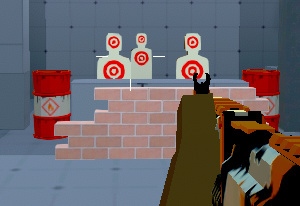
- Aim down sights on every shot. Firing from the hip spreads your bullets unpredictably. Pressing right-click to aim down sights tightens your accuracy significantly — make it an automatic habit from your very first match.
- Don't chase kills across the map. Sprinting after an enemy who is retreating to their team's territory is one of the most common mistakes new players make. Take the elimination if it's close; let them go if it requires overextending.
- Learn one map at a time. Rather than trying to understand every map simultaneously, focus on one and learn where its choke points, high-ground positions, and common enemy routes are. Map knowledge compounds rapidly with focused attention.
Advanced Strategies:
- Use sliding to break enemy aim. Pressing Shift while sprinting triggers a slide that dramatically lowers your hitbox and changes your movement direction. Mix slides into your approach on open sightlines to make yourself a harder target without sacrificing momentum.
- Control choke points rather than roaming. The best players hold angles at high-traffic areas rather than wandering the map looking for fights. Positioning at a choke point means enemies come to you on predictable paths, giving you the first-shot advantage.
- Match your weapon class to the map. A sniper rifle on a tight, close-quarters map puts you at a severe disadvantage. Study which weapon classes perform best on each map and adjust your loadout accordingly before the match starts.
What to Watch Out For:
- Ignoring the mode objective. In Hardpoint and Domination, players who only chase kills while ignoring the objective actively hurt their team's chances. Always know what the win condition is and contribute to it directly.
- Overlooking sensitivity tuning. Many players accept the default sensitivity and wonder why their aim feels inconsistent. Spend a few minutes in settings adjusting sensitivity until your crosshair movement feels natural and controllable — this single change has an outsized impact on accuracy.
5. Game Elements Explained
Game Modes
Deadshot.io's five modes each create a distinctly different competitive experience. Free for All (FFA) is pure individual combat — every player is an enemy, and the highest kill count at the end of the round wins. Reflexes and aggressive movement are at a premium here. Team Deathmatch (TDM) shifts the focus to coordinated team play, where the squad that reaches the kill threshold first wins. Communication and mutual support matter more than individual performance.
Hardpoint introduces a rotating control objective: your team earns points by standing inside a designated zone on the map while contesting enemies. This mode heavily rewards positioning and map control over raw mechanical skill. Kill Confirmed adds a tag-collection layer to standard elimination — you must pick up an enemy's dog tags after killing them to confirm the score, and you can deny your enemy points by collecting your own fallen teammates' tags. Domination requires capturing and holding multiple fixed control points simultaneously, demanding that your team split attention and resources strategically across the map.
Experimenting across all five modes is the fastest way to develop a complete understanding of the game's tactical depth, as each mode isolates and rewards different aspects of FPS skill.
Weapon Classes & Combat Ranges
Deadshot.io's four weapon classes each define a distinct combat identity. SMGs have the highest fire rate and lowest damage per shot, designed for close-range engagements where sustained pressure and mobility win fights. Assault Rifles offer the most balanced profile — moderate fire rate, solid damage, and reliable mid-range accuracy, making them the most versatile choice for players still learning the maps. Sniper Rifles are high-risk, high-reward weapons that deal significant damage but require precise aim and patient positioning; they excel on long sightlines and from elevated spots, but are a liability in tight spaces. Shotguns deliver maximum burst damage at extremely close range, rewarding aggressive movement and confident close-quarters play.
Each class has its own reload speed and recoil pattern. Understanding these differences — and knowing when the engagement distance is in your weapon's favor — is as important as raw aim. Choosing to fight on your terms rather than your enemy's terms is what separates good players from great ones in Deadshot.io.
Progression & Account System
Deadshot.io's account system transforms the game from a series of isolated matches into a long-term competitive experience. Logging in with a free account earns you experience points from every match, which accumulates to unlock shop access and reflect your total investment in the game. Cosmetics and weapons purchased through the shop are stored permanently to your account, meaning your collection follows you across devices and sessions.
The global leaderboard ranks all registered players based on performance metrics, giving competitive players a concrete goal to pursue beyond individual match results. Rising through the rankings requires sustained, consistent play — single-match flukes don't move you meaningfully, but a string of strong performances does.
For casual players, the account system is optional — you can play indefinitely without one. But for anyone who wants to track improvement, build a loadout, or compete for rank, creating a free account is the single most important setup step before investing serious time in Deadshot.io.
6. Frequently Asked Questions
Q: How do I aim more accurately in Deadshot.io? A: Always use aim down sights (right-click or L) before firing rather than shooting from the hip. Additionally, go into the settings menu and adjust mouse sensitivity until crosshair movement feels natural and controllable. Many accuracy problems are rooted in sensitivity settings rather than technique.
Q: What should I do if I keep dying immediately after spawning? A: This usually means you're spawning into an active firefight or a map area that enemies are controlling. Pay attention to where enemies are clustered on the minimap (if available) and move away from those zones after spawning. Positioning yourself in a less-contested area first gives you time to orient before engaging.
Q: Is Deadshot.io free to play? A: Yes. Deadshot.io is completely free to play in the browser with no download required. Some cosmetic items in the in-game shop may have associated costs, but core gameplay and all competitive modes are fully accessible without spending anything.
Q: Can I save my weapons and cosmetics without an account? A: No. Without an account, any items you unlock or purchase are not saved between sessions. Creating a free account is required to permanently store weapons, cosmetics, and your experience progress. Registration takes only a few moments and is strongly recommended for anyone planning to play more than one session.
Q: How do I unlock items in the shop? A: Log in with your account and earn experience by playing matches. Experience accumulation unlocks access to the shop, where you can browse and purchase weapons and cosmetic items. Once purchased, items are permanently stored to your account and accessible from any device you log in on.
7. Related Games You Might Enjoy
If you like Deadshot.io, you might also enjoy:
- War Brokers - It offers another strong fps pick with fast browser play and familiar action pacing.
- Kour - It offers another strong fps pick with fast browser play and familiar action pacing.
- Shell Shockers - It offers another strong fps pick with fast browser play and familiar action pacing.