



Quick Controls
- WASD or arrows → Move. Establish a line to the target.
- Right-click → Aimed view; wheel → Zoom level. Refine a selected shot.
- Left-click → Fire. Space is the jump input.
High Score Tips
- Locate the enemy before increasing magnification.
- Use building edges to organize a search through similar-looking scenery.
- Expect close-range shots to differ from a long-distance impact sequence.
Find enemies in a monochrome arena, adjust the scoped view, and read the slow-motion impact of a sniper shot.
- Developer
- GoGoMan
- Classification
- FPS
About Sniper Shot: Bullet Time
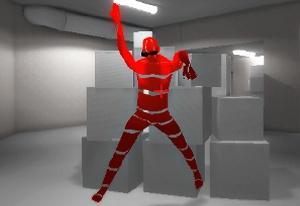
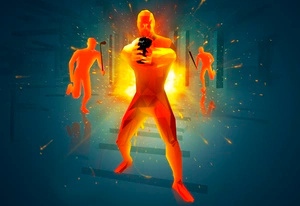
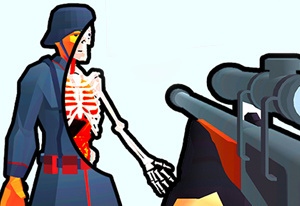
Sniper Shot: Bullet Time combines a mobile sniper position with dramatic impact presentation. You move through a monochrome 3D arena, identify surrounding enemies, and fire a rifle whose hit can trigger slow-motion and X-ray effects. Targets at different heights make the search part of the challenge.
The closer view is also a sequence: select a target, use the aimed view, then adjust magnification with the wheel. Searching at maximum zoom can hide the building or route that gave the target context. After the impact, return attention to the remaining enemies. The bullet-time presentation is not an E-powered movement ability, and close-range shots may not produce the same slow-motion sequence.
How to Play Sniper Shot: Bullet Time
Eliminate the arena's enemies while using position and the scoped view to keep targets identifiable.
- Scan building heights and edges to find the next enemy.
- Move to a clear line with WASD or arrows.
- Use right-click for the aimed view and adjust the zoom with the wheel as needed.
- Fire with left-click, read the result, and resume the wider search for remaining threats.
Controls & Timing
Search and magnification solve different tasks
A broad view locates a target; magnification helps refine it. Choose the enemy before narrowing the search area.
Impact presentation depends on the shot
Close shots may lack the slow-motion impact sequence. A different animation is not by itself proof that the control failed.
Controls
| Input | Action | When to use |
|---|---|---|
| WASD or arrow keys | Move | Establish a clear target angle. |
| Mouse movement | Aim | Search or refine alignment. |
| Right mouse button | Aimed view | Inspect a chosen enemy. |
| Mouse wheel | Zoom in / out | Adjust magnification. |
| Left mouse button | Shoot | Fire the prepared shot. |
| Space | Jump | Navigate a height change. |
High Score Tips
- Search by recognizable edges. Similar monochrome surfaces can make repeated scanning inefficient. Use rooflines and building corners to organize which sections remain unchecked.
- Zoom after identification. Increasing magnification on an unknown area makes a search narrower without giving it a target. Locate the figure first.
- Change angle when scenery blocks the body. More zoom does not remove a building edge. Reposition to expose a clearer target instead of repeatedly firing through the same obstruction.
- Recheck the remaining encounter after the effect. The impact sequence can hold attention on an enemy already handled. Resume the search before choosing another movement.
Key Features
- Sniper movement: You can change the firing position.
- Adjustable zoom: Aimed view and magnification have separate inputs.
- X-ray impacts: Hit presentation visualizes the shot's result.
- Range-dependent animation: Close shots may not show the same slow-motion sequence.
Frequently Asked Questions
Why is a close shot sometimes not in slow motion?
At close range, the effect may not appear. Evaluate whether the target was hit rather than treating every animation difference as an input error.
How do I change magnification?
Use the mouse wheel. Right-click provides the aimed view, while the wheel adjusts zoom; find the enemy before making the view very narrow.
Can E activate a time-freeze ability?
No E activation is established for this entry. Bullet time refers to the shot presentation described here, not the limited-use power of Noob: Time Shooter.
Why move when the target is already visible?
A building edge may still block part of the firing line. A clearer angle can help more than additional magnification on an obstructed shot.