


Quick Controls
- Mouse movement → Inspect and aim. Read the suspected figure's outline.
- Left-click → Shoot. Commit after identifying the target.
High Score Tips
- Finish one part of the scene before moving to another.
- Look for connected body features, not one unusual color patch.
- After a hit, move attention to an unchecked area.
Search for a concealed figure in the scenery and confirm its shape before taking the sniper shot.
- Classification
- Shooter
About Camo Sniper
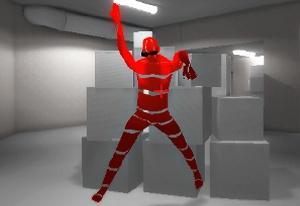
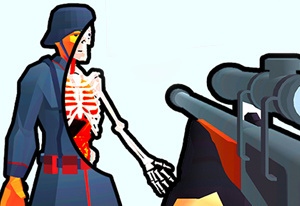
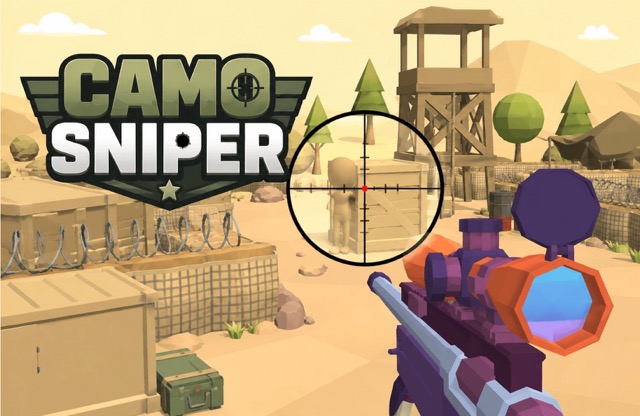
Camo Sniper makes finding the target the first shooting task. Enemies hide within the scene, so the environment may be easy to see while the figure inside it remains difficult to recognize. You inspect the view with the mouse and fire after deciding which shape belongs to an enemy.
The useful distinction is between a suspicious detail and a confirmed figure. A single patch may be ordinary scenery; connected shapes can reveal a silhouette. Search one area at a time, compare the detail with what surrounds it, and return to the broader composition if close inspection stops helping.
How to Play Camo Sniper
Find and shoot the concealed targets required by the scene.
- Choose one section of the view to inspect first.
- Move the mouse through its shapes and look for a connected enemy outline.
- Confirm the figure before left-clicking to shoot.
- Continue through unchecked areas until the current scene's task is complete.
Controls & Timing
Suspicion needs supporting detail
An odd color is a cue to inspect, not proof of a target. Compare nearby shapes before committing the shot.
Search order preserves progress
A repeatable scan tells you which areas have been inspected. Random aim movement can repeatedly return to the same prominent feature.
Controls
| Input | Action | When to use |
|---|---|---|
| Mouse movement | Inspect / aim | Examine a suspected hidden figure. |
| Left mouse button | Shoot | Fire after identifying a target. |
High Score Tips
- Use a simple section order. Move across the view in manageable areas so a quiet corner is not repeatedly skipped.
- Look for a coherent figure. Compare possible limbs or body edges with neighboring scenery. Several connected details are more informative than one color difference.
- Change the scale of attention. If a tiny detail remains uncertain, inspect its place in the broader scene rather than enlarging the same doubt indefinitely.
- Leave an unresolved patch temporarily. Check another area before returning. New context can make the earlier shape easier to judge without random repeated shots.
Key Features
- Camouflaged enemies: Targets blend with the background.
- Recognition before shooting: Identification is part of accuracy.
- Scene-based search: Unchecked areas matter after each hit.
- Compact mouse input: Use the mouse to inspect the scene and take a shot.
Frequently Asked Questions
Why can a clear scene still hide the enemy?
Camouflage makes a figure blend into the environment. Search for connected shapes that form a body rather than waiting for an obvious color contrast.
Should I fire at every odd patch?
Inspect first. A color difference can belong to the scenery, so look for supporting detail that resolves into a target before using the shot.
How do I avoid checking the same place repeatedly?
Use an order through the scene and remember uncertain areas. Inspect another section before returning to a detail that has not gained any new evidence.
Do I move freely with WASD?
Use the mouse to inspect the scene and shoot. Free-roaming movement keys are not confirmed for this version; check the in-game controls before trying a WASD setup.