




Quick Controls
- WASD → Move; Space → Jump. Navigate the city around the chicken.
- Left-click → Shoot; R → Reload. Prepare the active gun.
- 1–2 → Weapons; 3–4 → Grenades. Check which equipment group is selected.
High Score Tips
- Read the next street exposed by a turn before chasing.
- Check the selected group after using a numbered key.
- Keep an open turn behind the character while firing at an approaching rival.
Control an armed chicken from a third-person view and keep weapon and grenade selections distinct through city fights.
- Classification
- Shooter
About Chicken Strike
Chicken Strike is a third-person shooter about an armed chicken surviving opponents in a city. The visible character and surrounding street approaches need attention alongside the target. Moving after one enemy can expose another route, so the next exchange should be chosen from the position the chicken can actually keep.
The equipment keys have separate groups: 1–2 for weapons and 3–4 for grenades. That distinction matters after a hurried selection, because the next action should be based on the item now active. R reloads the gun, while Space jumps. Use the active interaction prompt for F and check the selected grenade before assuming it will be thrown immediately.
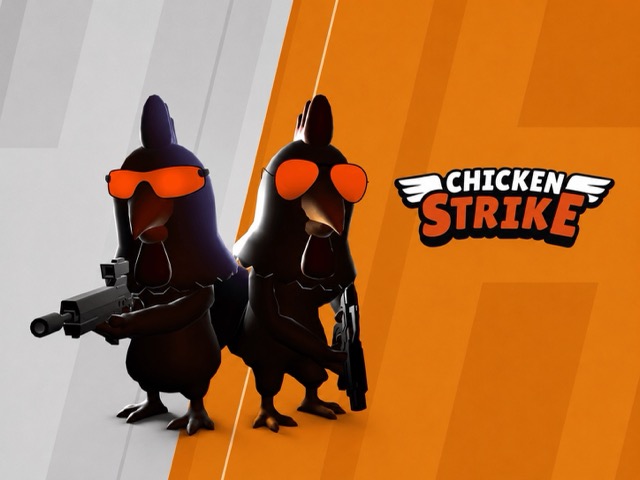
How to Play Chicken Strike
Defeat opposing chickens while preserving a usable city route and recognizing the currently selected equipment.
- Inspect nearby street approaches and the gun initially selected.
- Move with WASD toward a position with an open continuation.
- Aim and left-click to fire, using the numbered weapon or grenade group deliberately.
- Reload with R during a gap and recheck the route before following another opponent.
Controls & Timing
Equipment groups change expectations
The numbered keys separate guns from grenades. Recognize the selection before expecting the next action to behave like the previous gun.
Third-person position remains a constraint
Seeing the character does not show that every route behind it remains open. Read the next turn while the target holds attention.
Controls
| Input | Action | When to use |
|---|---|---|
| WASD | Move | Navigate the city with an exit route. |
| Mouse movement | Aim | Track the next chicken opponent. |
| Left mouse button | Shoot | Fire the active weapon. |
| 1–2 | Weapon selection | Choose an available gun. |
| 3–4 | Grenade selection | Choose the available explosive equipment. |
| R | Reload | Prepare the gun during a manageable gap. |
| Space | Jump | Navigate a useful height change. |
High Score Tips
- Inspect the new street after a turn. Following one rival can reveal another approach. Read it before carrying the old pursuit into a changed encounter.
- Keep one turning route. A retreat that ends at a wall can remove the room needed for the next shot. Notice the continuation before backing too far.
- Confirm the numbered group. After selecting 3 or 4, do not assume a gun remains active. Read the equipment state and its use prompt.
- Prepare the next contact during a reload. Use the interval to identify the likely approach so the weapon becomes ready with a target area already in mind.
Key Features
- Third-person chicken combat: The controlled character remains visible.
- City approaches: Streets and boundaries organize movement.
- Separate equipment groups: Weapon and grenade selections are distinguished.
- Manual reload input: Readiness remains a separate action.
Frequently Asked Questions
Does this use a first-person view?
The combat uses a third-person view. Keep the visible chicken's position and the city route in the plan while aiming at the rival.
What do 3–4 do?
They are listed for grenade equipment, while 1–2 selects weapons. Check the active item prompt before expecting the selection itself to throw a grenade.
Can F pick up anything in the city?
F is labelled Select. Its exact interaction depends on the current prompt; do not rely on it as a universal pickup key.
Why look at the route during a retreat?
The target can draw attention away from a boundary behind the character. An open turn preserves another option when the approaching rival closes the gap.