


Quick Controls
- WASD → Move. Read the round objective before the first route.
- Mouse movement and left-click → Aim and shoot. Engage a blocking opponent.
- Caps Lock → Crouch; + → Add bots. Use this build's listed controls.
High Score Tips
- Keep the bomb or hostage task relevant when choosing a pursuit.
- Buy equipment for a planned role rather than cost alone.
- Keep a bot setup similar when comparing two routes.
Prepare equipment for a tactical round, choose the objective route, and use a bot setup to test a defined approach.
- Classification
- FPS
About Counter Strike Classic
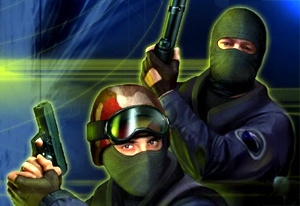
Counter Strike Classic is the browser tactical-shooter entry credited to Ololoken. Opposing Terrorist and Counter-Terrorist sides contest round objectives after preparing their equipment. Bomb and hostage tasks provide a reason for the route beyond finding another opponent to shoot.
The controls also distinguish this build from a remembered commercial setup: Caps Lock crouches and + adds bots. Read the current interface for purchasing and objective interactions rather than assuming familiar keys. A bot session is most useful when it tests a particular choice—an approach, stopping point, or equipment role—so the result can inform the next round instead of becoming an unchanged repetition.
How to Play Counter Strike Classic
Help the selected side complete the active round task through equipment and positions that serve it.
- Choose the side and read the displayed bomb, hostage, or other active task.
- Prepare equipment through the current purchase interface and recognize the selected slot.
- Move toward a relevant opening and engage opponents blocking that task.
- Use a supported bot setup to compare an approach when practicing, then revise the decision that affected the objective.
Controls & Timing
An elimination needs a round purpose
Clearing an approach can support the task; pursuing an opponent far away can abandon it. Judge the exchange by what the side can do next.
A familiar name does not establish bindings
Caps Lock and + have explicit roles here. Use the build's prompts for the remaining actions rather than importing a whole control profile.
Controls
| Input | Action | When to use |
|---|---|---|
| WASD | Move | Approach a round-relevant position. |
| Mouse movement | Aim | Inspect and align the target. |
| Left mouse button | Shoot | Fire the active gun. |
| 1–5 | Weapon selection | Choose available equipment. |
| Caps Lock | Crouch | Use the listed posture action. |
| + | Add bots | Configure a supported practice setup. |
High Score Tips
- Choose the route's contribution first. Decide what reaching the next area enables for the bomb or hostage task. This prevents a visible opponent from becoming the only reason to move.
- Buy for an engagement role. Compare the weapon with the distance and position you intend to use. An expensive option is not automatically the answer to every route.
- Keep practice conditions recognizable. Compare two stopping points or approaches with a similar bot setup so the change has a useful explanation.
- Check the uncommon binding before contact. A remembered C or Ctrl crouch input may not apply. Learn Caps Lock before the posture becomes important to the exchange.
Key Features
- Tactical sides: Team role connects to the active task.
- Round objectives: Bomb and hostage contexts change route priorities.
- Equipment preparation: Purchases precede the planned engagement.
- Bot setup: A defined practice scenario can test a route or weapon role.
Frequently Asked Questions
Is this an official Valve release?
Ololoken is credited for this browser entry. Do not treat its title as proof of official Valve status or an identical commercial-game rule set.
Is C the crouch key?
Caps Lock is the crouch binding listed for this browser entry. Use the current build's binding rather than importing another tactical shooter's posture key.
How can bots help practice?
The + input is listed for adding bots. Keep the setup similar while testing one route or equipment decision so a result can be connected to that change.
Which key plants or defuses the bomb?
The plant and defuse keys are not confirmed here. Follow the current objective prompt instead of relying on bindings from a different Counter-Strike version.