




Quick Controls
- WASD → Move. Preserve an open direction as the crowd approaches.
- Mouse movement → Aim. Read the next threat direction.
- Left-click → Select. Choose the displayed menu or upgrade option.
High Score Tips
- Keep the smaller crowd in view while a boss holds attention.
- Read a garage improvement against the previous wave's weakness.
- Do not pursue a mission reward through a route that already leaves no exit.
Manage the space around a survivor, handle zombie waves and bosses, and use the garage to prepare equipment.
- Classification
- FPS
About Dead Escape: Zombie Shooter
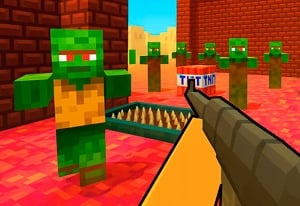
Dead Escape: Zombie Shooter combines incoming zombie waves with boss encounters and an equipment-upgrade loop. The survivor needs room to respond while the garage provides a place to improve weapons. Missions add another goal to the attempt, but continuing survival remains the condition that lets those goals matter.
The useful preparation question is what the previous wave exposed. A major target may demand focused attention while ordinary zombies close the route nearby. A new weapon or improvement is more useful when it addresses that specific pressure than when chosen only by appearance. The basic published controls establish movement, aiming, and selection, while the current build's combat instruction must explain the firing action.
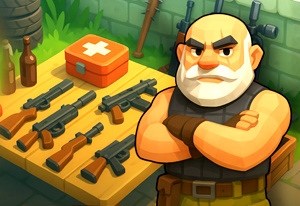
How to Play Dead Escape: Zombie Shooter
Survive the wave pressure, handle major enemies, and improve the equipment used in the next encounter.
- Read the combat prompt and the selected mission before starting the wave.
- Use WASD to keep an open direction rather than retreating into a closed boundary.
- Watch both the nearest crowd and any boss that needs attention.
- Use the garage selection options to address the equipment weakness revealed by the encounter.
Controls & Timing
Boss attention can hide crowd pressure
A large enemy remains important while smaller ones approach the survivor. Recheck the space around the character during the focused encounter.
The garage serves preparation
Weapon changes should answer a problem from the last wave. Distinguish an equipment limitation from a movement route that became closed.
Controls
| Input | Action | When to use |
|---|---|---|
| WASD | Move | Preserve room around the survivor. |
| Mouse movement | Aim | Read and select the next threat direction. |
| Left mouse button | Select | Choose a displayed menu or upgrade option. |
High Score Tips
- Plan a turn before the boundary. Moving away from the crowd is useful only while the path remains open. Identify the next direction before reaching the edge.
- Keep a second threat check during a boss. Reinspect ordinary zombies before committing all attention to the major target. Their approach can remove the space needed for that fight.
- Name the garage's intended benefit. Compare the offered upgrade with slow enemy removal or another observed equipment weakness rather than buying without a purpose.
- Read a mission through survival. A reward route that gives up the survivor's remaining space may prevent the task from being completed at all.
Key Features
- Wave encounters: Continuing groups create crowd pressure.
- Boss targets: Large threats compete with the surrounding enemies for attention.
- Garage preparation: Weapons can be improved between combat decisions.
- Mission goals: Additional objectives give an attempt a specific task.
Frequently Asked Questions
Does left-click manually fire?
Left-click is labelled Select. Whether this build uses manual or automatic firing is not confirmed here; check its combat prompt before entering a wave.
Why watch smaller zombies during a boss?
Their approach can remove the room needed for the larger encounter. Judge which threat is about to interrupt survival rather than looking only at the largest figure.
How should I choose a garage improvement?
Compare it with the previous wave's limiting problem. Equipment changes and route changes address different causes, so identify what actually went wrong before selecting.
Can I use Dead Strike's R control here?
These are separate games, and R is not confirmed as the reload key here. Use Dead Escape's in-game combat instructions.