



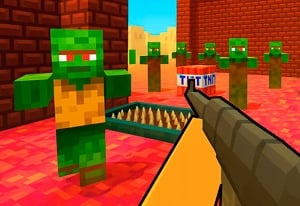
Quick Controls
- WASD or arrows → Move. Approach a useful team position.
- Left-click → Shoot; right-click → Aim. Use the selected firearm.
- Q/E → Side lean. Inspect the next angle without assuming a special damage bonus.
High Score Tips
- Choose the weapon role before spending on support items.
- Read the newly exposed angle when leaning.
- Use the item's own prompt instead of treating every numbered slot as the same action.
Prepare weapons and support items for a team fight, then use the listed side-lean controls to inspect an angle.
- Classification
- FPS
About FPS Toy Realism
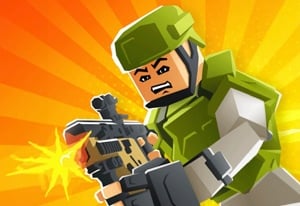
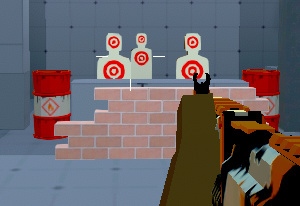
FPS Toy Realism is a tactical team shooter with equipment selection before combat. Its menu includes a feline soldier, a shop, and task entries, with firearms, health items, and rockets among the equipment choices. Preparation is therefore part of the encounter rather than a separate decoration around shooting.
Use Q/E for side leaning, C for crouching, and the right mouse button for a closer aimed view. Those options give a position more than one way to inspect its next angle. A lean still needs a target and a route afterward; it is not a confirmed accuracy or protection power. Match the weapon, support item, and position to a task you can describe before changing the entire setup.
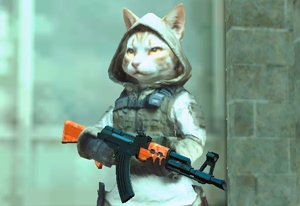
How to Play FPS Toy Realism
Contribute to the selected team encounter through a purposeful loadout and a readable approach.
- Read the task and inspect available weapons and support items before starting.
- Choose equipment for the distance or role you intend to attempt.
- Move into a useful position and use Q/E to inspect a side angle when appropriate.
- Aim and fire at a selected opponent, then recognize the current weapon and support prompt before continuing.
Controls & Timing
Leaning changes the inspected angle
Q/E are listed for side lean. Read what the movement reveals rather than assuming it makes the character invulnerable or the shot stronger.
Support is not weapon selection
A health item and a rocket solve different tasks. Read the displayed use action instead of assigning them the ordinary firing behavior of the current gun.
Controls
| Input | Action | When to use |
|---|---|---|
| WASD or arrow keys | Move | Reach a relevant team position. |
| Mouse movement | Look / aim | Identify the next angle or target. |
| Left mouse button | Shoot | Fire the current gun. |
| Right mouse button | Aim | Use the aimed view. |
| Q/E | Side lean | Inspect an angle from the current position. |
| C / Space | Crouch / jump | Change posture or height. |
| 1–2 | Weapon selection | Choose available guns. |
| P | Menu | Inspect the current setup. |
High Score Tips
- Give the loadout one purpose. Choose the engagement distance and support need first. A coherent starting setup is easier to evaluate than unrelated purchases.
- Read the lean's revealed space. Another angle can show a target or expose another opponent. Inspect the result before committing to the shot.
- Keep support actions separate. Know whether the next item is meant for recovery or attack before trying to activate it during contact.
- Test one change per familiar task. Keep the route or weapon recognizable while evaluating another option so the result has a specific explanation.
Key Features
- Pre-fight equipment: The setup includes weapons and support choices.
- Side-lean inputs: Q/E provide another way to inspect an angle.
- Separate posture controls: Crouch and jump serve different position changes.
- Task and shop menu: Preparation has a place outside immediate firing.
Frequently Asked Questions
What do Q and E do?
Q and E lean to the sides. Read the angle revealed before choosing the next shot rather than assuming a statistical bonus.
Do numbered guns and support items use identical actions?
Do not assume so. Follow each item's displayed instruction, recognizing whether the next choice is a firearm, recovery item, or another support tool.
Should I replace the whole loadout after one defeat?
Keep a familiar task and change the part that caused difficulty. Several simultaneous changes make it harder to identify whether equipment or position improved the result.
Should I aim before leaning around a corner?
Choose the angle you want to inspect first. Lean to reveal it, check for a target, and use the aimed view when you have a useful line. Keep a route back to cover in mind before extending the peek.