
Quick Controls
- Mouse movement → Aim. Inspect an object and its line toward the enemy.
- Left mouse button → Primary gun action. Use the weapon's current capture/attack stage.
High Score Tips
- Choose the path from object to enemy before committing the attack.
- Read approaching distance while preparing a throw.
- Use the nearest workable object when a long setup would take too much time.
Use an anti-gravity gun to capture scene objects and send them into enemies before they reach you.
- Developer
- Twin Crab Studio
- Classification
- Shooter
About Gravity Shooter
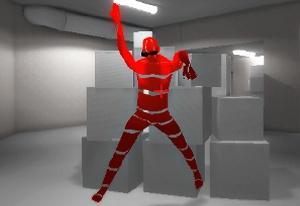
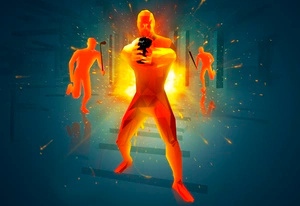
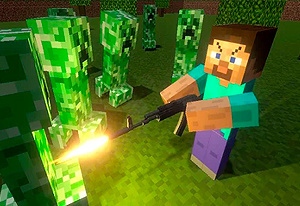
Gravity Shooter is an object-based combat game credited to Twin Crab Studio. The gun's anti-gravity effect captures surrounding objects and uses them against approaching enemies. The scene supplies the attack material, making observation of useful objects as important as locating the opponent.
A successful attack needs both an object and a route. Large scenery between the material and the enemy can block an apparently obvious throw, while waiting for a complicated setup gives the target more time to approach. Inspect what can reach the enemy soon, use that line, and prepare another option if the opponent remains active. Check the on-screen pickup and launch prompts before committing to a throw; the exact hold-and-release sequence is not confirmed here.
How to Play Gravity Shooter
Stop the approaching enemies with usable objects before they reach the player.
- Identify the closest incoming threat and nearby objects the weapon can use.
- Choose a clear line from an object toward that enemy.
- Aim and use the primary gun action according to the current capture or attack state.
- Read the impact, then select another workable object if the threat remains.
Controls & Timing
The environment is equipment
Nearby material provides attacks. Search the scene before treating the enemy silhouette as the only information that matters.
Setup time has a limit
A perfect-looking object is less useful if the enemy reaches you before it can be used. Compare the launch plan with the remaining approach distance.
Controls
| Input | Action | When to use |
|---|---|---|
| Mouse movement | Aim | Select an object or attack line. |
| Left mouse button | Primary gun action | Use the current capture/attack stage. |
High Score Tips
- Work backward from impact. Find the line that can reach the enemy, then choose an object that fits it. The largest visible item is not automatically the cleanest attack.
- Watch beyond the selected object. Scenery can interrupt the route after capture. Inspect the space between material and target before committing.
- Simplify as the enemy closes. Choose a workable attack you can complete soon rather than continuing an elaborate plan without enough time.
- Diagnose the route after a failed throw. If scenery stopped the object, revise the path or material before repeating the same alignment.
Key Features
- Anti-gravity capture: The gun uses objects instead of a conventional bullet alone.
- Scene-based arsenal: Nearby material creates attack options.
- Approaching threats: Distance limits preparation time.
- Object trajectories: A clear path is part of the hit decision.
Frequently Asked Questions
Do I manage a conventional rifle magazine?
The main tool is an anti-gravity gun that uses scene objects. Conventional reload keys and ammunition upgrades are not confirmed for this version.
Should I always use the biggest object?
A size-based damage rule is not established here. Choose material with a usable path that can be launched before the approaching enemy reaches you.
Why can a visible target survive the attack?
Check whether scenery blocked the object's route or the alignment missed. Seeing an enemy does not guarantee that the material has a clear path to it.
Is a hold-and-release gesture confirmed?
The available controls establish mouse aiming and a primary action, not its complete gesture stages. Follow the current weapon prompt rather than assuming a drag or release sequence.