


Quick Controls
- Mouse onto the left chamber → Prepare. Use the prompted starting area.
- After the signal, mouse movement → Aim. Draw toward the opponent.
- Left-click → Shoot. Continue reading the opponent after the first shot.
High Score Tips
- Plan the chamber-to-opponent direction before drawing.
- Use the health and revolver displays to read the exchange.
- Choose Restart after defeat rather than assuming an R shortcut.
Begin at the revolver chamber, wait for the draw signal, and carry a controlled mouse movement into the duel.
- Classification
- Shooter
About Gunblood
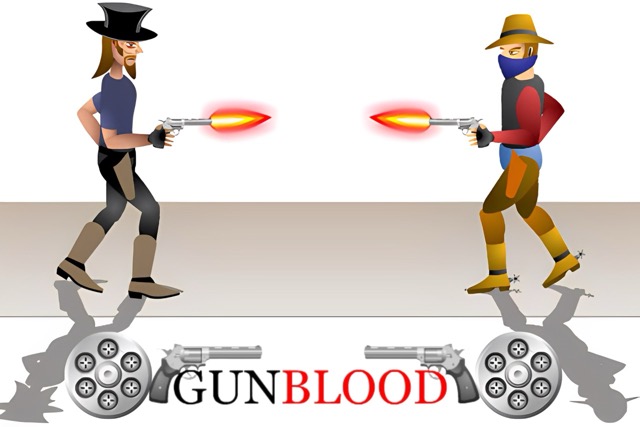
Gunblood makes the starting position part of the gunfight. You choose a gunslinger, enter a Western duel, and prepare with the cursor over the revolver chamber at the lower left. After the countdown's firing signal, move to the opponent and shoot before the return attack defeats you.
The browser screen shows ten portraits and a Round 1/9 indicator. The duel also displays health and revolver information, so the first click is not the only result to watch. A fast draw that travels beyond the target needs another correction; a useful attempt connects the required starting area to a controlled endpoint, then follows the opponent's current state through the rest of the exchange.
How to Play Gunblood
Defeat each opposing gunslinger while following the chamber preparation and draw sequence.
- Select Start Game, choose a portrait, and continue to the duel.
- Place the cursor over the lower-left revolver chamber as prompted.
- Wait for the firing signal, then move directly toward the opponent and left-click.
- Read the opponent and status displays; after defeat, choose Restart or Main Menu from the result screen.
Controls & Timing
The chamber fixes the opening
Preparing at the required area gives the draw a defined distance. Read the opponent's position before leaving it.
A click is not a confirmed finish
The opponent may remain active. Use the visible health and character state before deciding whether another aimed shot is needed.
Controls
| Input | Action | When to use |
|---|---|---|
| Mouse over left chamber | Prepare the duel | Follow the opening prompt. |
| Mouse movement after signal | Aim | Draw toward and track the opponent. |
| Left mouse button | Shoot | Fire after the duel starts. |
| Click Restart | Start another attempt | Use the Game Over result screen. |
High Score Tips
- Read the draw distance in preparation. Notice where the opponent stands relative to the chamber before the signal. The first movement then has a clear destination.
- Aim for a controlled endpoint. A larger sweep can pass the gunslinger and require another correction. Compare the endpoint before trying to reduce the reaction time further.
- Track the current opponent position. After firing, keep watching rather than automatically repeating the opening shot toward an outdated location.
- Give the restart one focus. Work on the chamber sequence, overshoot, or follow-up tracking according to what failed. Changing all three together hides the useful adjustment.
Key Features
- Defined draw preparation: The chamber determines where the cursor begins.
- Character selection: Choose from ten portraits on the selection screen.
- Round sequence: The opening indicator shows the duel's place among nine rounds.
- Readable result controls: Final Score, Restart, and Main Menu support another attempt.
Frequently Asked Questions
Where should the cursor wait?
Use the lower-left revolver chamber when the preparation prompt appears. Read the countdown and opponent before moving away for the draw.
Why can a fast draw still miss?
The movement needs to end on the target. Passing the opponent creates another correction, so control the distance as well as the reaction to the signal.
How do I restart?
Click Restart on the Game Over screen. Main Menu is also available there; no unverified keyboard restart binding is assigned.
Do portraits guarantee different abilities?
The screen establishes a character choice, not a verified stat table. Use the visible duel feedback rather than assigning an ability or damage bonus to a portrait.