





Quick Controls
- WASD → Move. Read the room's map and rules first.
- Left-click → Fire; right-click → Aim. Use the current gun.
- Mouse wheel → Select weapon; R → Reload. Ammunition and weapon access are different limits.
High Score Tips
- Read allowed weapons before evaluating a room's loadout.
- Use a familiar room configuration when comparing guns.
- Check kills, deaths, and K/D together rather than one large kill total.
Join a configurable multiplayer room and use the available arsenal without a weapon-unlock grind.
- Classification
- FPS
About Pixel Warfare
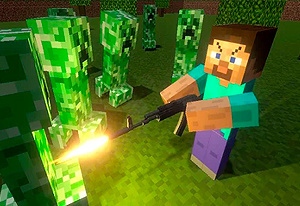
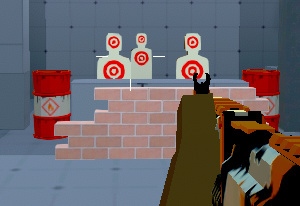
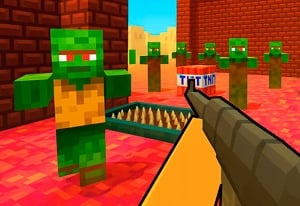
Pixel Warfare is a multiplayer FPS with block-built maps, retro styling, and configurable rooms. Its arsenal is available by default rather than through a weapon-unlock progression, although a room can limit which weapons are allowed. Equipment also has ammunition limits, so access to a gun does not mean uninterrupted firing.
Room creation provides concrete control over the match: mode, map, round duration, player limit, and permitted weapons are among the options. Those settings make a private room useful for a defined comparison, such as learning one weapon against the same opening. Menu statistics include kills, deaths, and K/D, offering context for the result without establishing that every match used the same conditions.

How to Play Pixel Warfare
Play the selected room's objective with the allowed arsenal and use its settings to understand the combat context.
- Choose a room and inspect the mode, map, and weapon restrictions.
- Select an available gun with the wheel or the slots shown by the current build.
- Move, aim, and fire through the next useful opening, reloading when needed.
- Read the result alongside the room conditions before comparing equipment or creating another match.
Controls & Timing
Default access does not override room rules
The arsenal need not be unlocked, but a host can limit permitted weapons. Inspect the room before assuming a missing option is a progression problem.
Stats need their match context
Kills and deaths come from the conditions you played. A private weapon-restricted room and another public mode may not be useful direct comparisons.
Controls
| Input | Action | When to use |
|---|---|---|
| WASD | Move | Navigate the room's map. |
| Mouse movement | Aim | Identify and align the opponent. |
| Left mouse button | Fire / primary action | Attack with the selected gun. |
| Right mouse button | Aim | Use the aimed view. |
| Mouse wheel / displayed numbered slots | Select weapon | Choose an allowed option. |
| R | Reload | Prepare the current weapon. |
| C / Space | Crouch / jump | Use suitable posture or height. |
High Score Tips
- Check restrictions before changing a loadout plan. A host's allowed-weapon setting can explain a missing gun. Do not search for an unlock that the room rules disabled.
- Create a room for one question. Hold the map and permitted weapons steady while testing an engagement. Several simultaneous setting changes make the result harder to interpret.
- Keep ammunition separate from access. Having the arsenal available does not make the current gun ready indefinitely. Use a manageable interval for reloading.
- Read deaths beside kills. A larger kill total from repeatedly losing an exposed route may not describe an improved approach. Use K/D with the match conditions as context.
Key Features
- Default arsenal access: Weapon choice does not require a separate unlock grind.
- Configurable rooms: Maps, duration, and permitted equipment can be selected.
- Finite ammunition: Readiness remains part of an exchange.
- Menu combat statistics: Kills, deaths, and K/D provide feedback.
Frequently Asked Questions
Do I need to unlock every gun?
The arsenal is available by default. A particular room can restrict permitted weapons, so check its settings before interpreting a missing gun as locked progression.
Can I create a private configuration?
Yes. Room options include the mode, map, round duration, player limit, and allowed weapons. Use those settings for a specific match or comparison.
Why avoid quoting one fixed slot range?
Sources list different numbered layouts for portal versions. The wheel and the slots displayed by the current build identify the available selection more reliably than copying another version's full range.
Does K/D prove one gun is best?
Compare it with the room and task. Different maps or restrictions can change the result, so keep conditions similar when evaluating a weapon.