


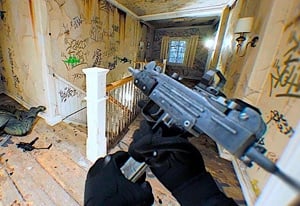
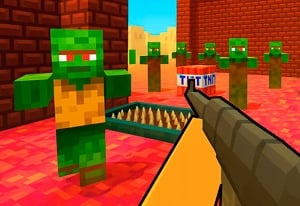
Quick Controls
- WASD or arrows → Move. Hold Shift to sprint.
- Left-click → Shoot; right-click → Zoom. Identify the target before narrowing the view.
- R → Reload. I inspects the weapon rather than reloading it.
High Score Tips
- Read the selected arena task before choosing the opening route.
- Use zoom after finding a target, not as an aimless search.
- Keep the inspection action out of an urgent combat sequence.
Join a colorful online arena, use the scoped view for a selected shot, and prepare the weapon before the next approach.
- Classification
- FPS
About Rivals FPS: Online Shooter
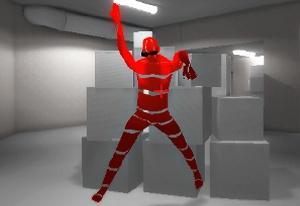
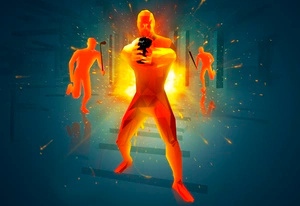
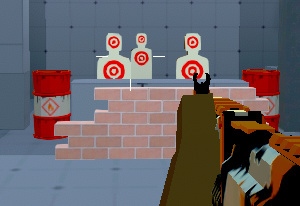
Rivals FPS: Online Shooter combines online matches with a colorful 3D arena style and equipment progression. You move between cover and openings, aim directly with the mouse, and use the closer view for a selected target. R reloads the weapon and Shift sprints, so prepare the gun before a fast approach.
Those actions should be treated separately. R prepares the current weapon, I inspects it, and right-click changes the view rather than the loadout. Read the tool state before using a familiar key from another shooter. The next useful movement depends on the selected match, so inspect its objective before turning a visible opponent into a chase across the arena.
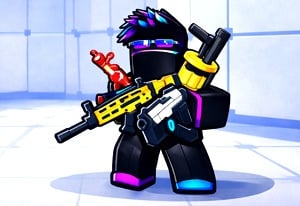
How to Play Rivals FPS: Online Shooter
Contribute to the active match while keeping the selected weapon and view ready for the next useful exchange.
- Read the current match and recognize the equipped weapon.
- Move toward a relevant opening with WASD or arrows.
- Locate a target, use right-click for the closer view when useful, and left-click to fire.
- Reload with R during a workable interval and check the nearby approaches before advancing.
Controls & Timing
Inspecting is not preparing
I performs the inspection action, while R reloads. Use the correct action when the next exchange requires a ready weapon.
Zoom needs a selected target
A narrower view helps refine one shot. Returning to the arena context afterward prevents another entrance from being forgotten.
Controls
| Input | Action | When to use |
|---|---|---|
| WASD or arrow keys | Move | Reach a relevant arena angle. |
| Shift | Sprint | Cross a route with a destination chosen. |
| Mouse movement | Aim / look | Identify the next opponent. |
| Left mouse button | Shoot | Fire the selected weapon. |
| Right mouse button | Zoom | Refine a selected target view. |
| R / I | Reload / inspect | Separate readiness from inspection. |
| C / Space | Crouch / jump | Change posture or height. |
| E | Context action | Follow a displayed interaction. |
High Score Tips
- Recognize which action interrupted the shot. Inspection, reload, and zoom serve different purposes. Correct the input sequence before repeatedly changing sensitivity.
- Read the route beyond the selected target. Resolving one opponent does not show whether another entrance is open. Prepare the next stopping point before advancing.
- Use the wider view between engagements. A focused shot is useful after identification; searching indefinitely through zoom can hide the arena routes that explain the target's position.
- Keep a match type consistent when testing equipment. Another mode can change what a useful engagement means, obscuring whether a loadout adjustment helped.
Key Features
- Online colorful arenas: Opponent encounters share a readable 3D setting.
- Separate zoom input: A closer view supports a selected shot.
- Explicit reload and inspection: R and I have distinct roles.
- Equipment progression: Preparation continues outside the immediate exchange.
Frequently Asked Questions
Is this the Roblox game RIVALS?
This guide covers the browser game Rivals FPS: Online Shooter. An official connection to Roblox Rivals has not been confirmed; do not transfer its equipment or progression rules based on the shared name.
How do I reload?
Press R to reload. Use it when the selected weapon needs preparation, rather than pressing the I inspection action.
Does I improve accuracy?
I inspects the weapon. It is not described as a temporary accuracy boost, so use the action for familiarization rather than as part of every urgent shot.
When should I zoom?
First locate the opponent in the arena, then use the closer view to refine the shot. Recheck the wider approaches afterward before moving forward.