Quick Controls
- Mouse movement → Aim. Select the current task's target.
- Left-click in combat → Shoot. Fire on the aligned line.
- Left-click in menus → Select. Choose an available task or weapon.
High Score Tips
- Read the task after changing modes.
- Choose the first target by what threatens completion, not size alone.
- Correct the visible line before blaming an unconfirmed simulation effect.
Choose a shooting task and adapt the target order between a deliberate sniper attempt and crowd pressure.
- Classification
- FPS
About Strike Royale: Gun FPS Shooter
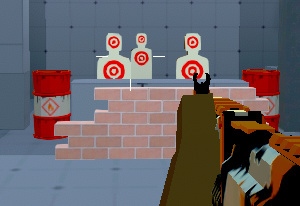
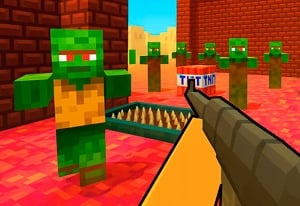
Strike Royale: Gun FPS Shooter offers a first-person shooting framework with different task contexts. Sniper tasks and zombie encounters offer different uses for the available weapon types. A chosen target and an advancing group require different attention even when the primary input remains mouse aiming and a left-button shot.
Begin with the objective shown by the active task. For an isolated target, prepare a clear alignment; under crowd pressure, decide which approaching enemy will interfere next. Choose your next action around that task. A sniper attempt rewards a prepared shot, while an approaching group requires you to reassess which enemy will reach you first.
How to Play Strike Royale: Gun FPS Shooter
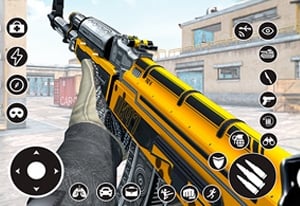
Complete the selected encounter by directing shots toward the targets that determine its objective.
- Choose an available task and read what it requires before starting.
- Recognize the weapon selected for that encounter.
- Aim and left-click at the target whose removal helps the task now.
- Read the remaining pressure or completion prompt before changing equipment or moving to another task.
Controls & Timing
Mode selection changes urgency
An isolated sniper target and a crowded encounter do not need the same target order. Read the task rather than applying the previous mode's routine.
A left-click changes role by screen
It selects an option in a menu and fires during combat. Check which stage is active before expecting another shot.
Controls
| Input | Action | When to use |
|---|---|---|
| Mouse movement | Aim | Align the target required by the current task. |
| Left mouse button in combat | Shoot | Take the prepared shot. |
| Left mouse button in menus | Select | Choose an available mode or equipment option. |
High Score Tips
- Read the new objective before the first shot. A mode change can make the previous target order irrelevant. Use the task itself to choose urgency.
- Correct one visible error. If the crosshair was off target, adjust that line before changing several variables or assigning the miss to an unconfirmed mechanic.
- Distinguish isolated and crowd pressure. A clear distant target may be less urgent than an enemy about to interrupt the encounter. Reevaluate when the available space changes.
- Compare a weapon within one task. Keep the objective familiar while evaluating equipment so another mode's requirements do not hide the result.
Key Features
- Task-based FPS play: The objective gives the shot its purpose.
- Sniper and zombie contexts: Target priority changes with the encounter.
- Weapon choices: Equipment can be selected for a role.
- Pointer controls: Aiming and the primary action share a compact input scheme.
Frequently Asked Questions
Does Royale prove this is a battle-royale match?
No. Read the current task. A shrinking zone, drop sequence, or last-survivor rule is not assumed from the title alone.
Which movement keys are listed?
Use the mouse to aim and the left button to shoot or select. Movement and jump bindings are not confirmed here; check the active task's controls before relying on WASD.
Should I use the same target order in every mode?
An isolated sniper task and an advancing crowd present different priorities. Choose the next shot according to the objective and immediate interference in the selected encounter.
Does this confirm a wind simulation?
No detailed simulation rule is established here. Begin with the visible alignment and active task instead of using an unverified wind calculation to explain a miss.